Setting up the Pack Leader Integration allows CoVet to import scheduled appointments and export visit documentation back to Pack Leader as specific note types.
There are multiple articles that will help you with different aspects of the Pack Leader Integration
Use these links to jump between these articles quickly.
There are multiple articles that will help you with different aspects of the Pack Leader Integration
Use these links to jump between these articles quickly.
Once the integration is enabled, your team can document visits in CoVet and keep patient records aligned with Pack Leader.
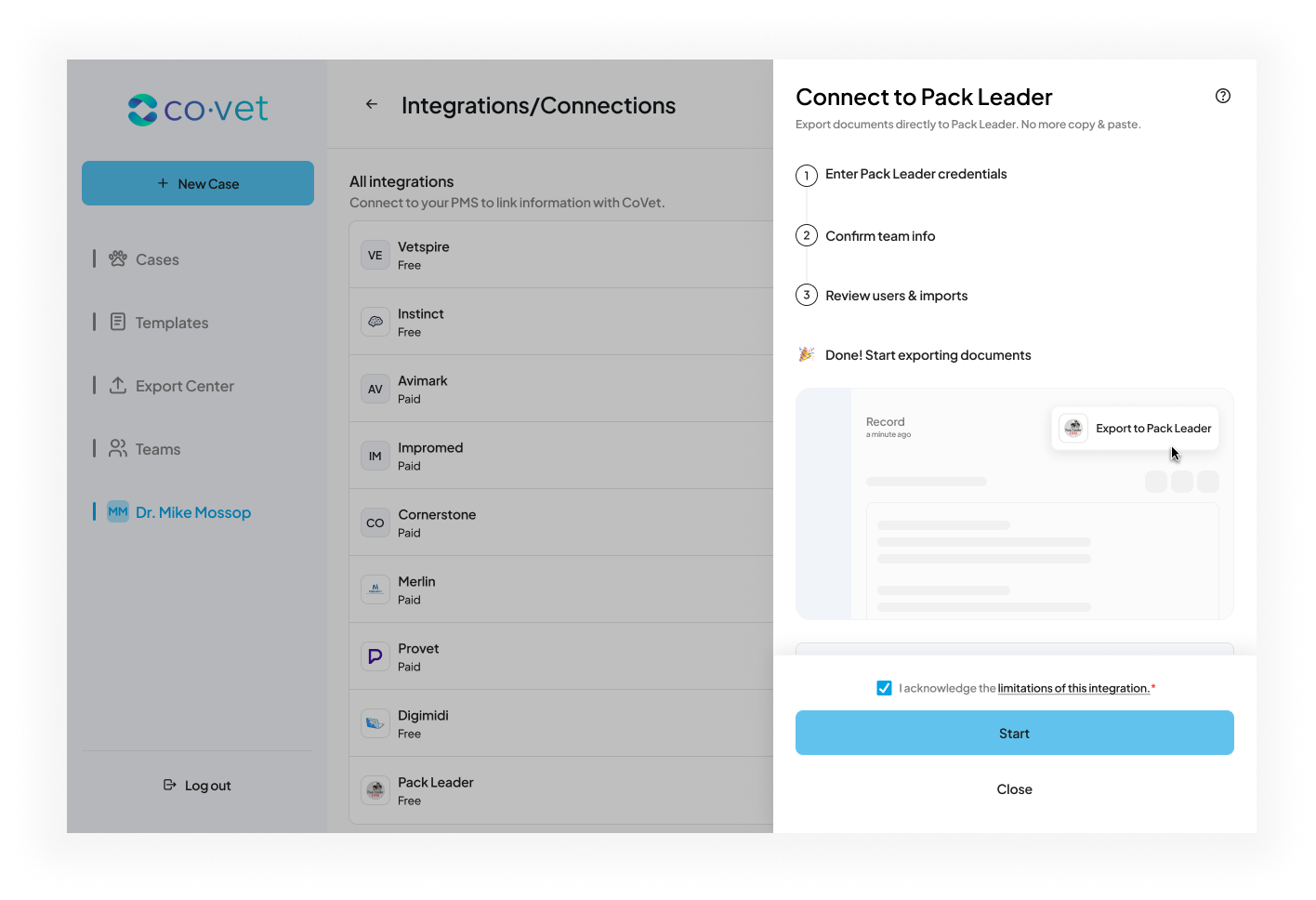
How to Set Up the Pack Leader Integration
Pack Leader credentials are managed manually.
1. Request Credentials
- You or your clinic must request API access from Pack Leader.
- Pack Leader will create your credentials and share them via email.
- You will receive a Base64 Encoded API Key which is required for the connection.
2. Navigate to Integrations
Click your name in lefthand navigation bar to open your Profile, then select Integrations/Connections.
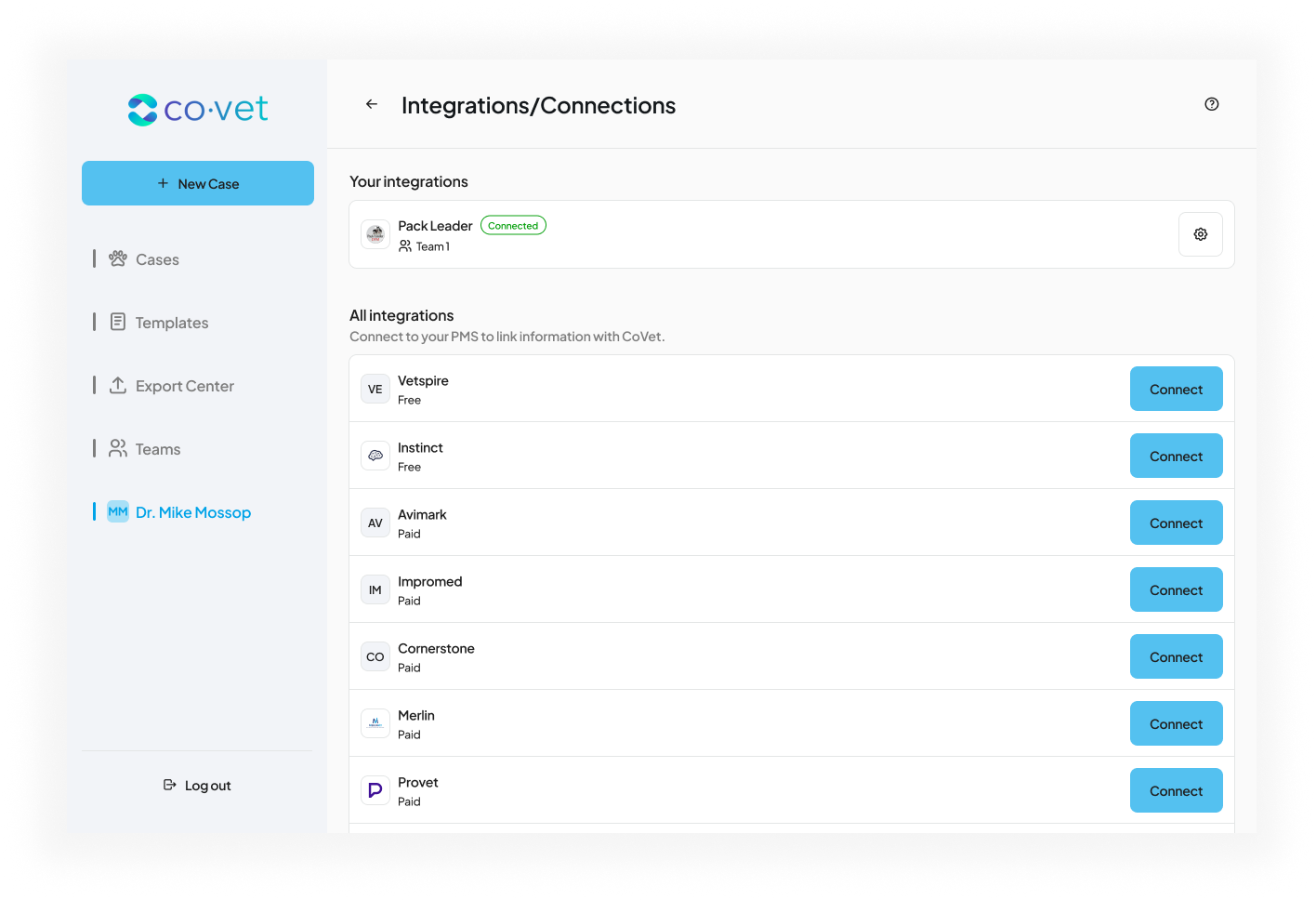
3. Select the Pack Leader integration
Locate Pack Leader in the list and click Connect.
4. Enter your Credentials
Enter the Base64 Encoded API Key provided by Pack Leader.
Pack Leader supports a single API key that can cover multiple clinic locations (sites).
Review the connection details and click Save.
Important note about pricing
The price shown in the image is not representative of the actual cost for your clinic.
Pricing is based on a monthly fee of $15 USD per Pack Leader server, as is not affected by the number of users.
This integration fee will appear on your usual CoVet invoice and will renew according to your regular billing cycle (monthly or annual) until the integration is deleted. This cost will be prorated, and you will not be charged until Pack Leader approves the integration.
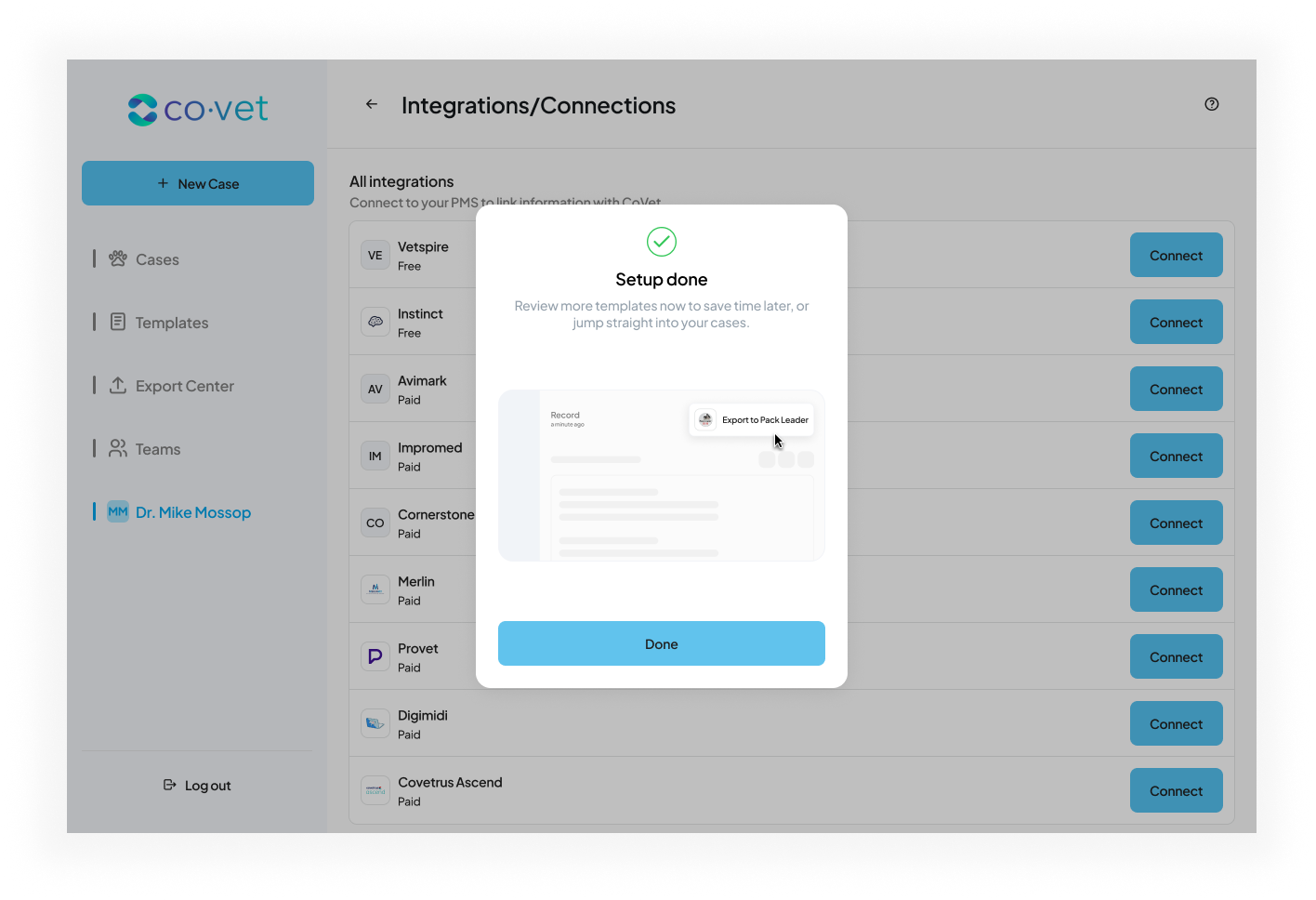
5. Complete setup
After activation is confirmed, you will see a success message in CoVet. The Pack Leader integration is now ready to use.
Was this article helpful?
That’s Great!
Thank you for your feedback
Sorry! We couldn't be helpful
Thank you for your feedback
Feedback sent
We appreciate your effort and will try to fix the article