The Shepherd integration allows CoVet to import scheduled appointments and create linked cases. Imported cases appear on the Cases page, ready for documentation.
There are multiple articles that will help you with different aspects of the Shepherd Integration
Use these links to jump between these articles quickly.
There are multiple articles that will help you with different aspects of the Shepherd Integration
Use these links to jump between these articles quickly.
What CoVet Will Import
CoVet will import appointments from Shepherd with the following rules:
- Appointments must be assigned to a provider
- Unassigned cases are not supported
- If a Shepherd appointment includes multiple pets, CoVet imports it as 1 case with multiple pets
During setup, each CoVet user must be matched to their Shepherd provider. Exact name matches are auto-matched when possible, and at least 1 user must be mapped before import can be completed.
Importing Cases
Cases can be imported automatically or manually:
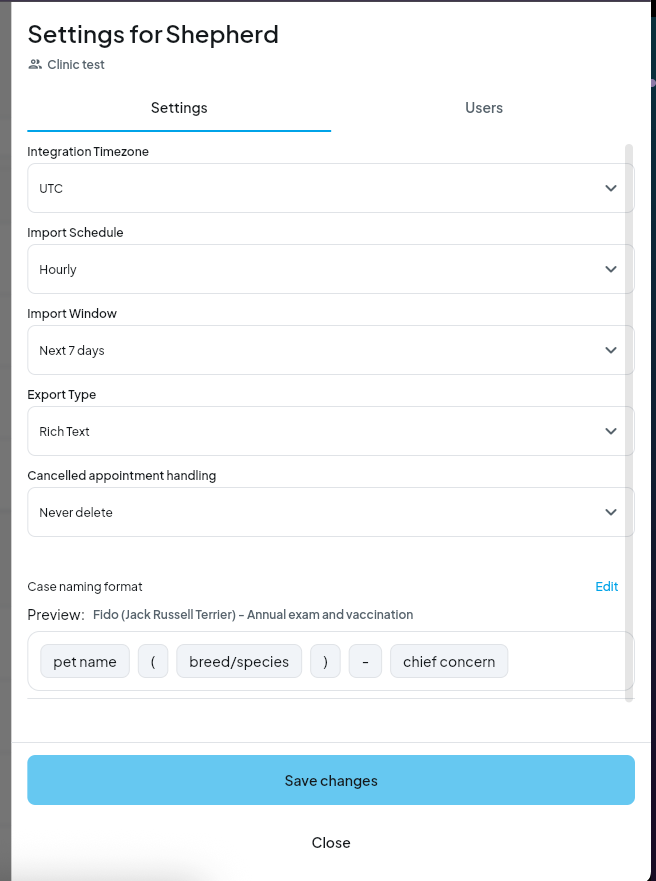
- Automatic imports run every hour and sync cases up to 4 weeks ahead. Users can change this schedule in settings.
- Manual imports can be run at any time by clicking Import & Sync from the Cases page.
You can choose to import for:
- Me
- Team
- Individual team members
You can also choose a date range:
- Last 7 days
- Last 2 weeks
- Last 4 weeks
- Last 3 months
- Last 6 months
- Custom date range.
Viewing Imported Cases
Imported cases:
- Appear on the Cases page
- Are automatically assigned to the Shepherd provider
- Are linked to the corresponding Shepherd appointment
After import, the success screen shows the number of imported cases.
Case Naming
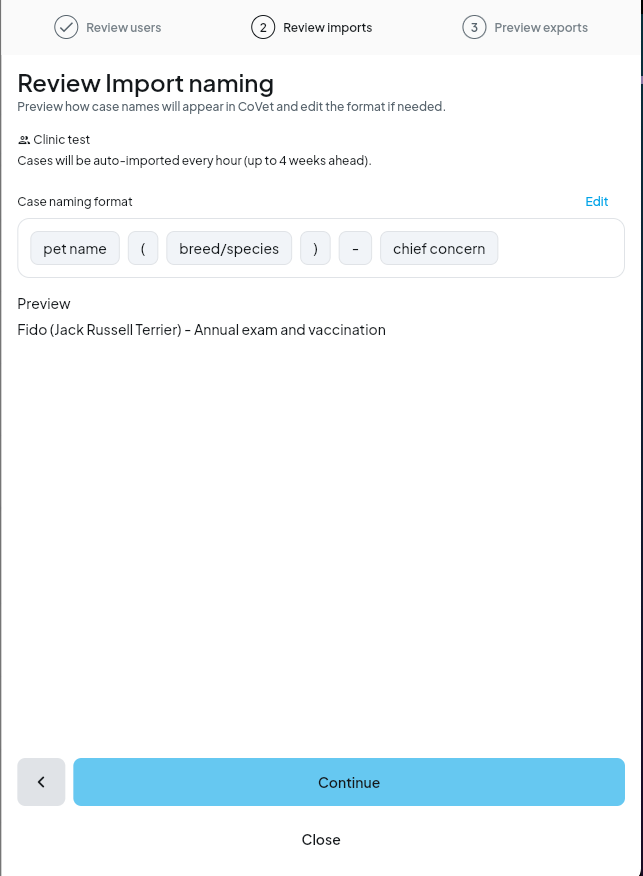
During setup, users can preview and customize how Shepherd appointment names appear in CoVet using an editable drag-and-drop tag format.
These edits only affect PMS imports and do not change app settings.
Was this article helpful?
That’s Great!
Thank you for your feedback
Sorry! We couldn't be helpful
Thank you for your feedback
Feedback sent
We appreciate your effort and will try to fix the article